
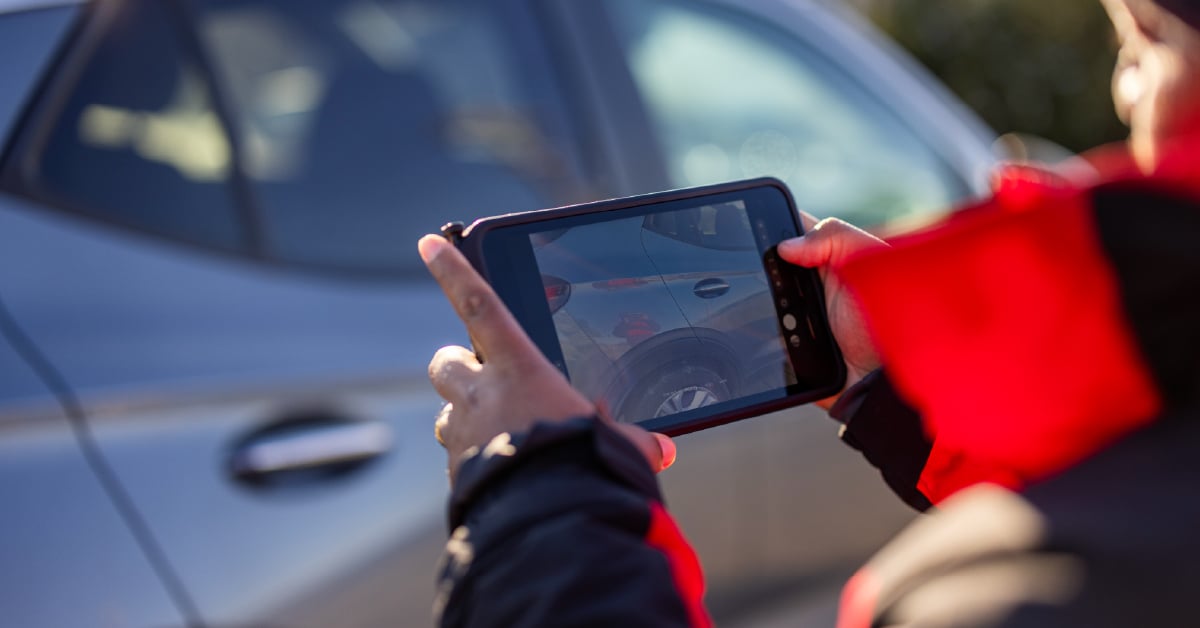
Dealership photo software lets your own staff photograph vehicles with a phone, match each photo to the right vehicle in your inventory, apply consistent branding, and send the finished listing to your website and listing sites. You may also see it called car inventory photo software or car dealer photography software.
Plenty of dealerships photograph their own inventory. If you have someone on staff who is good at it, doing it yourself gives you control: you can shoot the car the afternoon it comes out of detail.
The pictures are rarely the trouble. The trouble is the porter who shot a row of cars between other jobs and still has them on a phone at closing, or the silver SUV that went online under the other silver SUV's stock number. When two people shoot, you can tell whose cars are whose. Then your photo person gives notice and nothing new reaches the website.
Software will not turn a bad photographer into a good one, but it should take care of the rest. Our Lot Techs work on dealer lots every day, and these are the seven things we would ask before buying dealership photo software.
1. A Phone App for Photographing Cars on the Lot
Your team should be able to photograph each car with a phone and have the photos land in the system, organized by vehicle. No camera cards, no emailing files to yourself.
2. Inventory Pulled From Your DMS
The software should pull vehicles from your DMS or existing data feed, so the person shooting can pick the car from your inventory, or add one that is not there yet. It should also keep the edits your team makes, so listings stay current.
3. Every Car Looks Like It Came From the Same Store
Look for photo overlays with rules you set, so your branding goes on the same way each time. If you want clean, matching backgrounds, ask whether background removal is available and what it costs.
4. Descriptions and Window Labels From the Same Data
The car still needs a description, a window label and a Buyers Guide, and all of them use the same vehicle data. The same system should handle them, so nobody keys the car in three times.
5. Photos Reach Your Website and Listing Sites Without Anyone Uploading Them
The software should send your inventory and photos to your website and your listing sites automatically. Ask how often it sends updates.
6. It Works on the Lot and at the Desk
The person shooting is on the lot with a phone. The manager checking the listing is usually at a desk, and whoever prints the window labels is in the office. Ask whether all of them work in the same system on whatever device they have, or whether photos have to be moved from one program to another first.
7. A Plan for the Day Your Photo Person Leaves
Nobody asks about this until the photo person is gone. People quit, take a week off, or a full transport load lands on a Friday. Ask what your options are when your team cannot keep up.
How VinMotion® Handles Each One
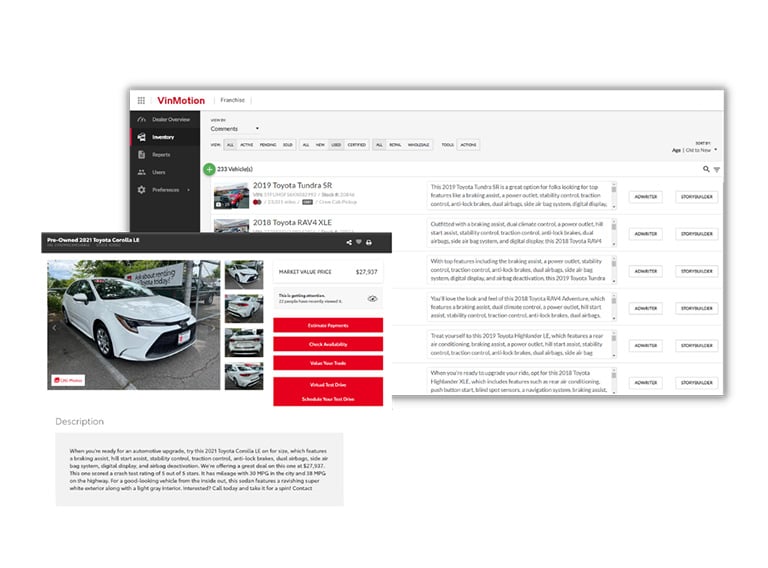
- Phone capture: photograph cars with your phone using the VinMotion® app, available for iPhone and Android, right from the lot.
- Inventory: VinMotion® pulls vehicles from your DMS or existing data feed and keeps your edits. In the app, your team selects a vehicle from your existing inventory or adds a new one.
- Consistent look: apply photo overlays and graphic credits, and set your overlay rules. AI background removal is available as an add-on.
- Descriptions and labels: generate a description for every vehicle with Dominion StoryBuilder®, and print branded window labels and FTC Buyers Guides from the same vehicle data.
- Distribution: send inventory and photos to major marketplaces, Google Vehicle Listing Ads, ad agencies and website providers. Our feeds run several times a day.
- Lot and desk: your team uses VinMotion® from a phone, tablet or browser, so the shooter, the manager and the office all work in one platform.
- Backup plan: our Lot Techs use VinMotion® every day, so they can run it for you on a set schedule, on the same platform, with no system change. Lot Tech availability depends on your location, so ask us about your market.
Three Habits That Matter More Than the Software
- Shoot every car in the same spot, in the same order of angles. Pick a spot where the dumpster and the service lane are not behind the car.
- Shoot the car the day it is frontline ready. Saving them for a Friday batch leaves cars online all week with no photos.
- Check the listing on your phone after it publishes. That is where you catch a wrong lead photo or a missing description.
Dealership Photo Software FAQ
Is there an app for dealerships to photograph cars?
Yes. VinMotion® from Dealer Specialties has an app for iPhone and Android. Your team selects a vehicle from your existing inventory, or adds a new one, and photographs it right on the lot.
What does dealership photo software do?
It organizes photos by vehicle as your team shoots them with a phone. It also applies overlays and branding, helps with descriptions and window labels, and sends inventory and photos to your website and listing sites.
Does dealership photo software connect to a DMS?
It should. VinMotion® pulls vehicles from your DMS or existing data feed and keeps the edits your team makes.
How much does dealership photo software cost?
VinMotion® pricing is by quote. Tell us about your lot and we will send pricing for self-service, for full-service where we have Lot Techs in your area, or for both.
See It on Your Own Inventory
Pricing is by quote. Tell us about your lot and we will send pricing for self-service, for full-service where we have Lot Techs in your area, or for both. See DIY dealership photography software or call 800-647-8425.
Want pricing for your lot?
Tell us how many vehicles you stock and which services you want, and we will put together a quote.
Would you rather do it yourself? See our DIY dealership photography software.